How to Report a Problem with a Sellibly Deal
Updated October 16, 2026
The short answer
Do not release. Open your deal, either from the "Open Secure Release Page" button in your Escrow Approved email or from Dashboard, Sales & Orders, Your orders. Tap "Report an issue with this order", give your WhatsApp number and describe the problem, then tap "Report Problem". The deal is paused, the money stays locked, and the Sellibly team reviews it.
Watch it in 43 seconds
Before you start
- You paid through Sellibly and the deal shows as paid.
- You have not entered your release code. Once released, the money is the seller's.
- Keep the conversation in the protected chat, so the team can see what was agreed.
Get to your deal: from the email
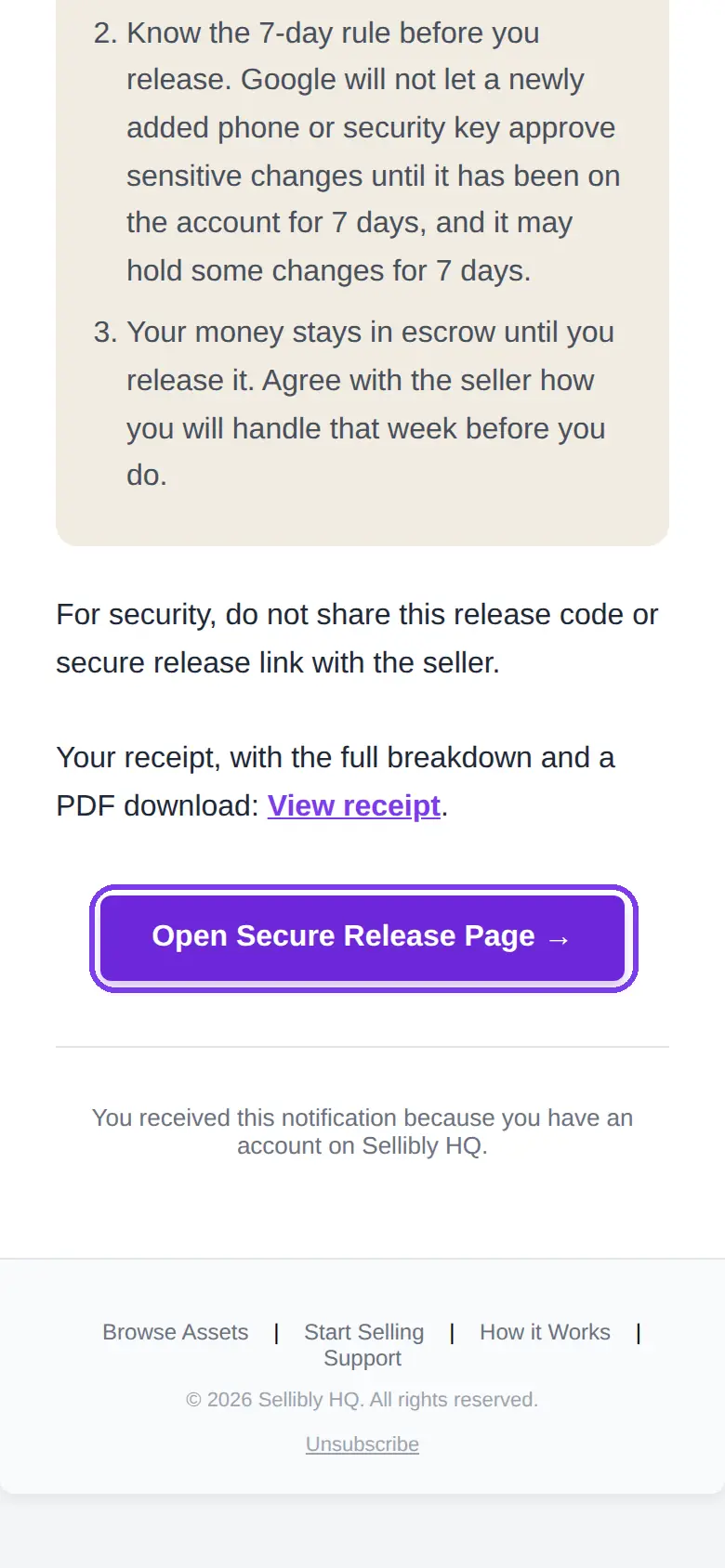
1Open the "Escrow Approved" email and tap "Open Secure Release Page"
This is the quickest way in. The button opens your deal page directly.
Or from your dashboard
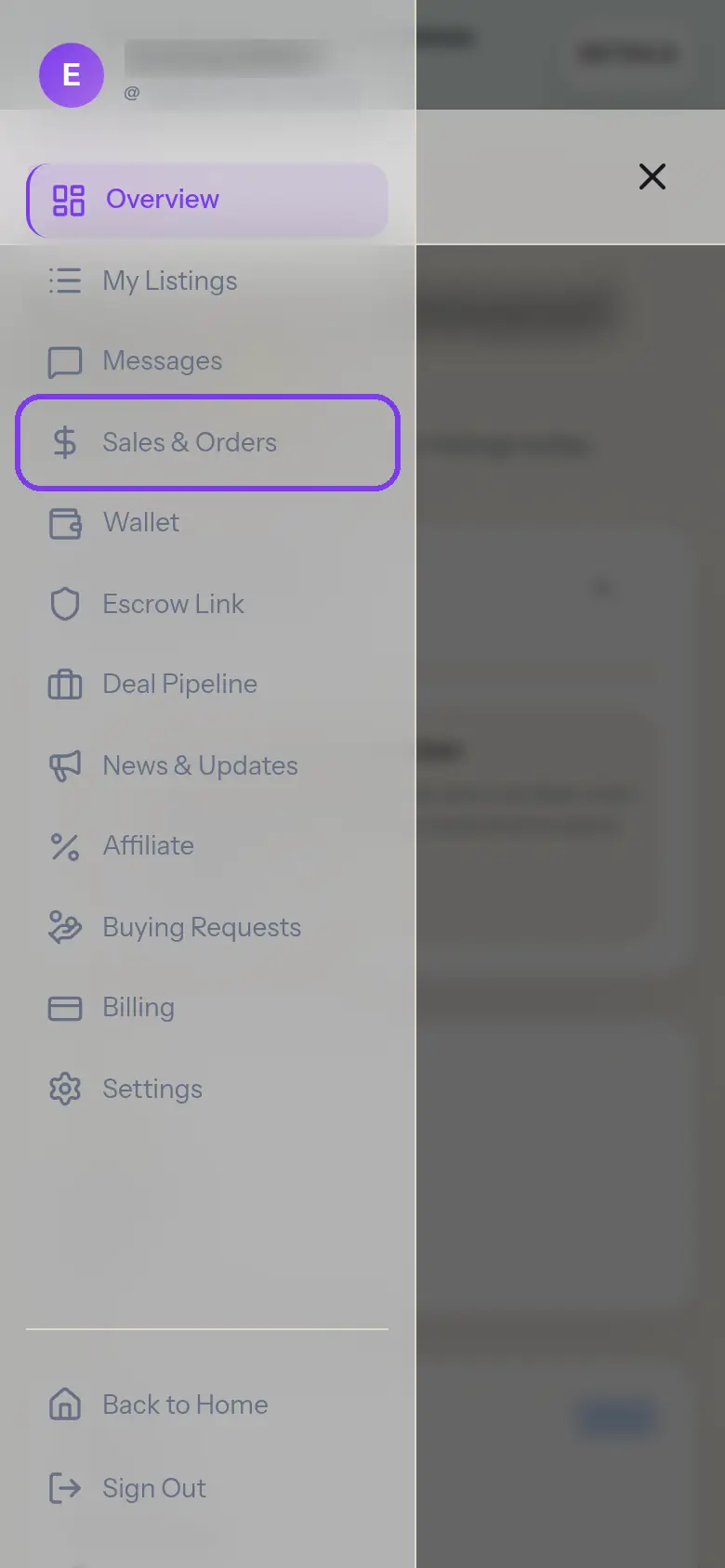
2Open the menu and tap "Sales & Orders"
Sign in with the email you paid with, open the menu at the top right of your dashboard, and tap Sales & Orders.
- 3
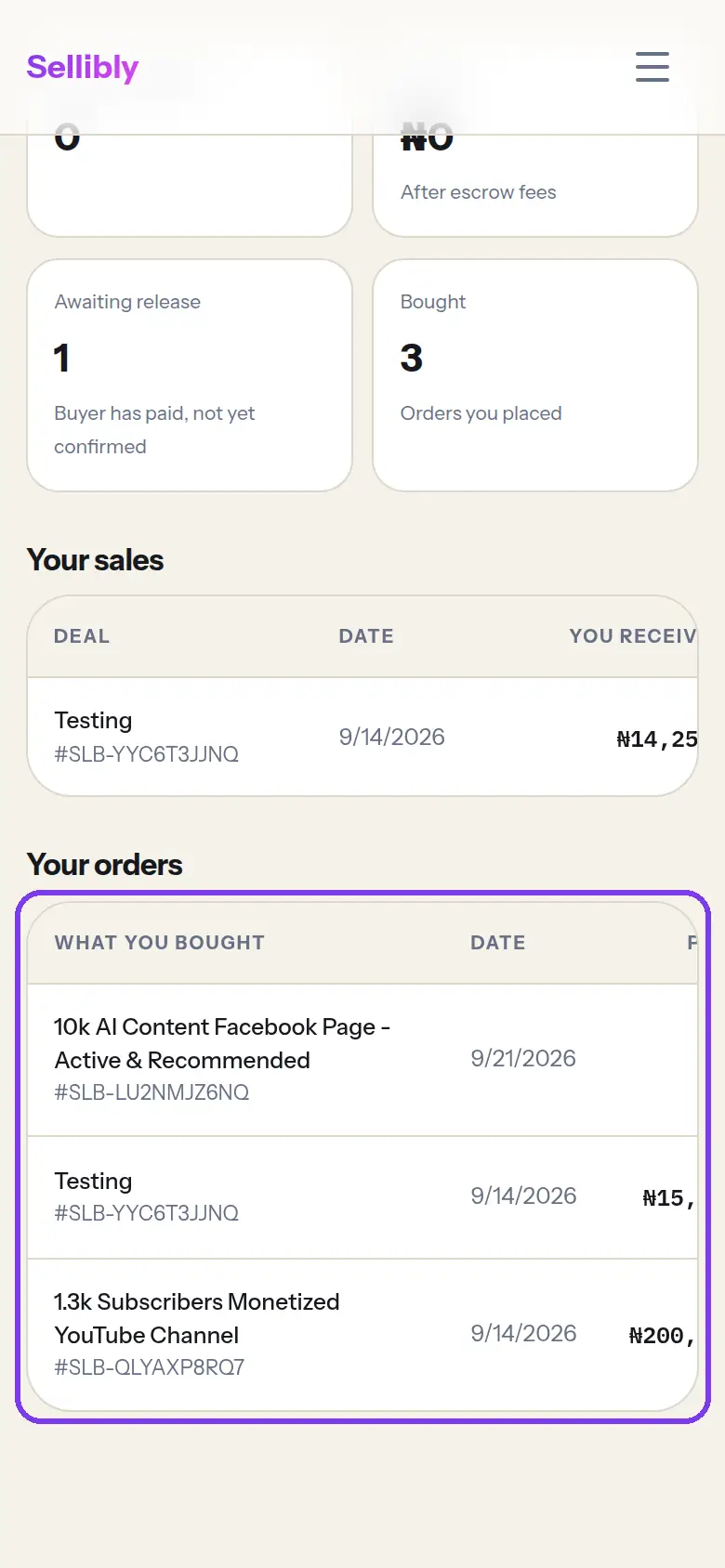
Tap the deal under "Your orders"
Every deal you have paid for is listed with its code (SLB-...). Tap its name to open the deal page.
On the deal page
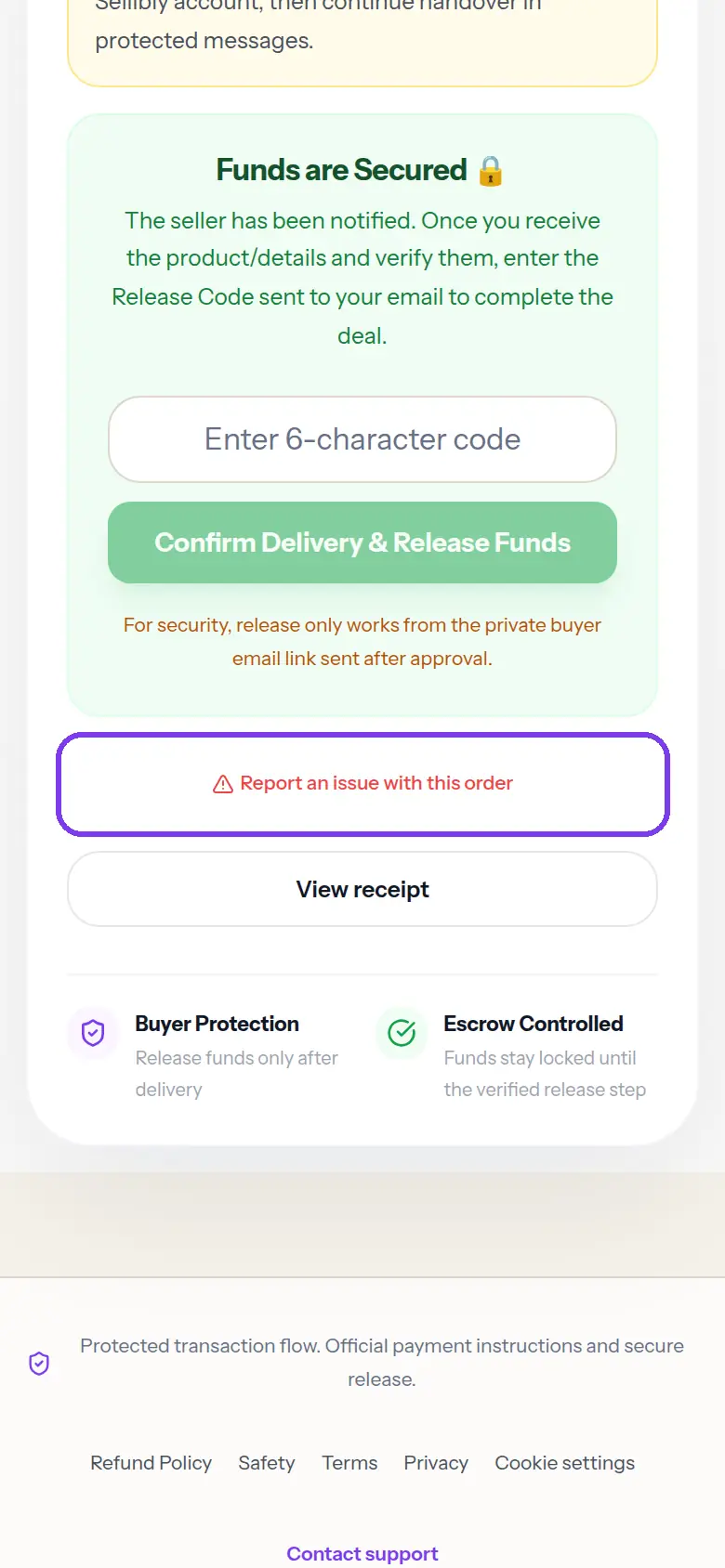
4Tap "Report an issue with this order"
It is in red, just under the "Funds are Secured" box. "Open a Dispute", in the small print under the release button, opens the same form.
- 5
Give your WhatsApp number and describe the problem
Type a WhatsApp number the team can reach you on, and say what is wrong in a sentence or two: what was agreed, what happened, and since when.
Tap "Report Problem". The deal is marked as disputed and the money stays locked while Sellibly investigates. The seller is told about the report, with your reason and WhatsApp number, so you can sort it out.
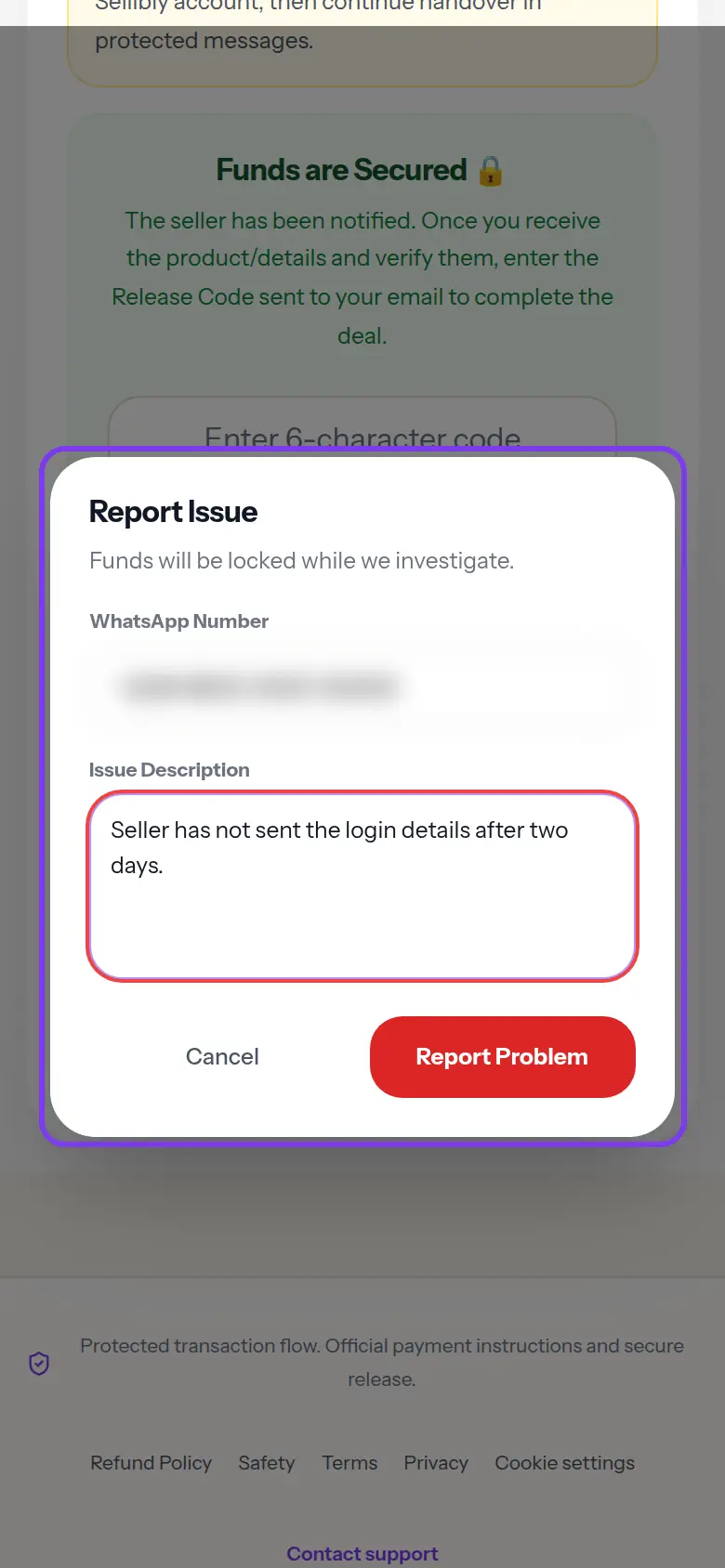 If the seller fixes the problem, you can still release as normal. If not, the team reviews the chat and decides the outcome, including a refund where the seller did not deliver.
Common mistakes
- Releasing "to be fair" before the account is fully yours. A released payment cannot be reversed.
- Moving the conversation to WhatsApp or DMs. The team can only judge what is in the protected chat.
- Waiting days to report. The sooner you report, the sooner the team can step in.
Questions
Does reporting cost anything?
No. Reporting a problem is free on every plan.
Can the seller still get the money after I report?
Not while the deal is disputed. It stays locked until the problem is resolved.
I do not see "Your orders" on my dashboard.
Sign in with the same email you paid with. Deals are matched to that email.
It says "Only the buyer can report this deal".
Reports are only accepted from the buyer, so a seller or anyone else holding the deal link cannot freeze it. Open the deal from the "Open Secure Release Page" button in your Escrow Approved email, or sign in with the account you paid with and open it from Sales & Orders.
Next steps
Still stuck?
Send us your deal code (it starts with SLB-) and we will look it up.
Contact support