How to Withdraw Your Earnings from Sellibly
Updated October 16, 2026
The short answer
Open the menu on your dashboard and tap Wallet. The first time, choose the country you are based in, then add a bank account (Nigeria) or a crypto wallet for USDT. Tap "Withdraw Funds", enter the amount and confirm. Naira to a Nigerian bank has no withdrawal fee; naira sent as USDT has a $1 fee; a dollar balance goes out as USDT with a $2 fee. Withdrawals arrive within 24 hours of confirming.
Watch it in 48 seconds
Before you start
- A buyer has released a deal to you, so the money shows under "Available to Withdraw". Money still in a deal shows under "Locked in escrow" and cannot be withdrawn yet.
- Dollar payments clear 48 hours after the buyer paid before they can be withdrawn.
- You have your bank details, or a USDT wallet address, ready.
From your dashboard
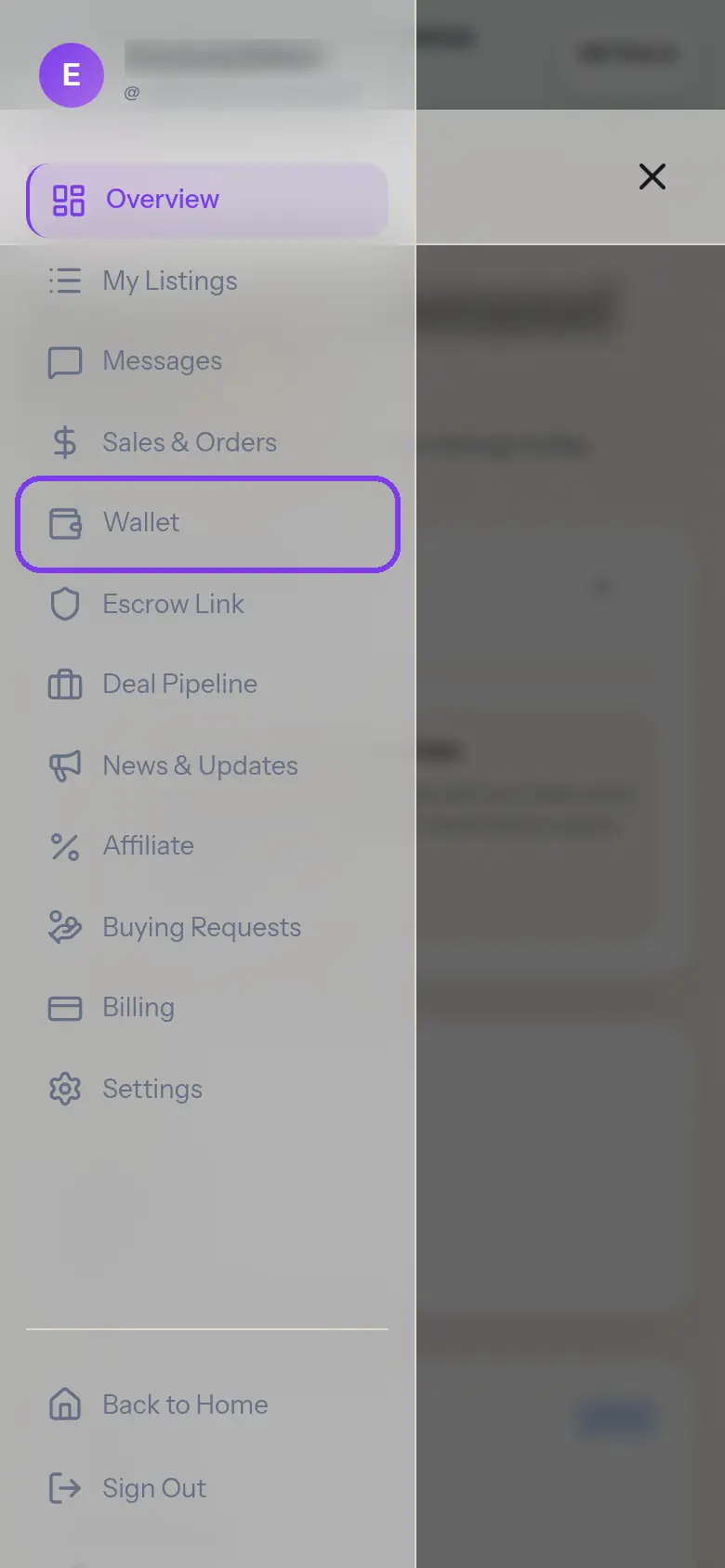
1Open the menu and tap "Wallet"
On your dashboard, tap the menu button at the top right, then Wallet. On a computer the menu is already on the left.
- 2
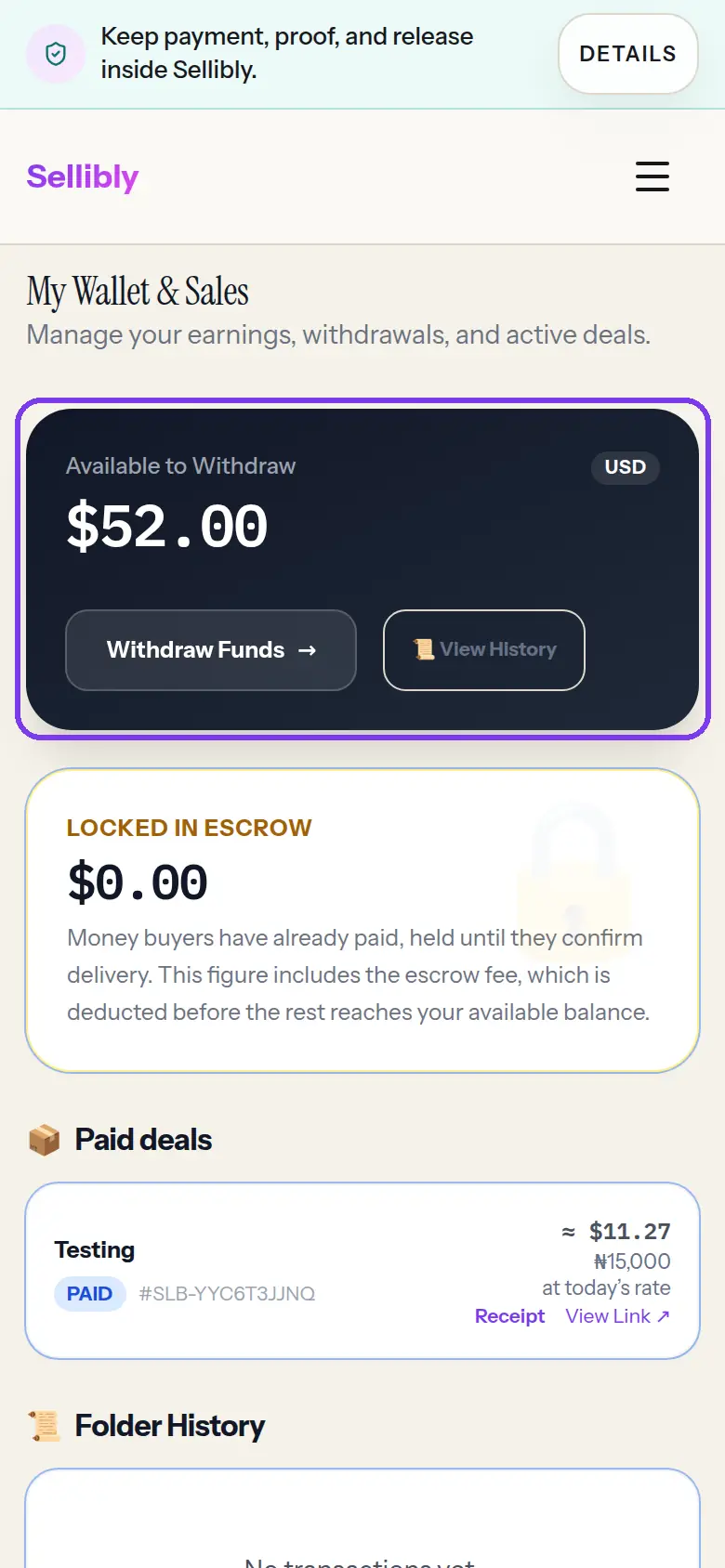
Check what is available
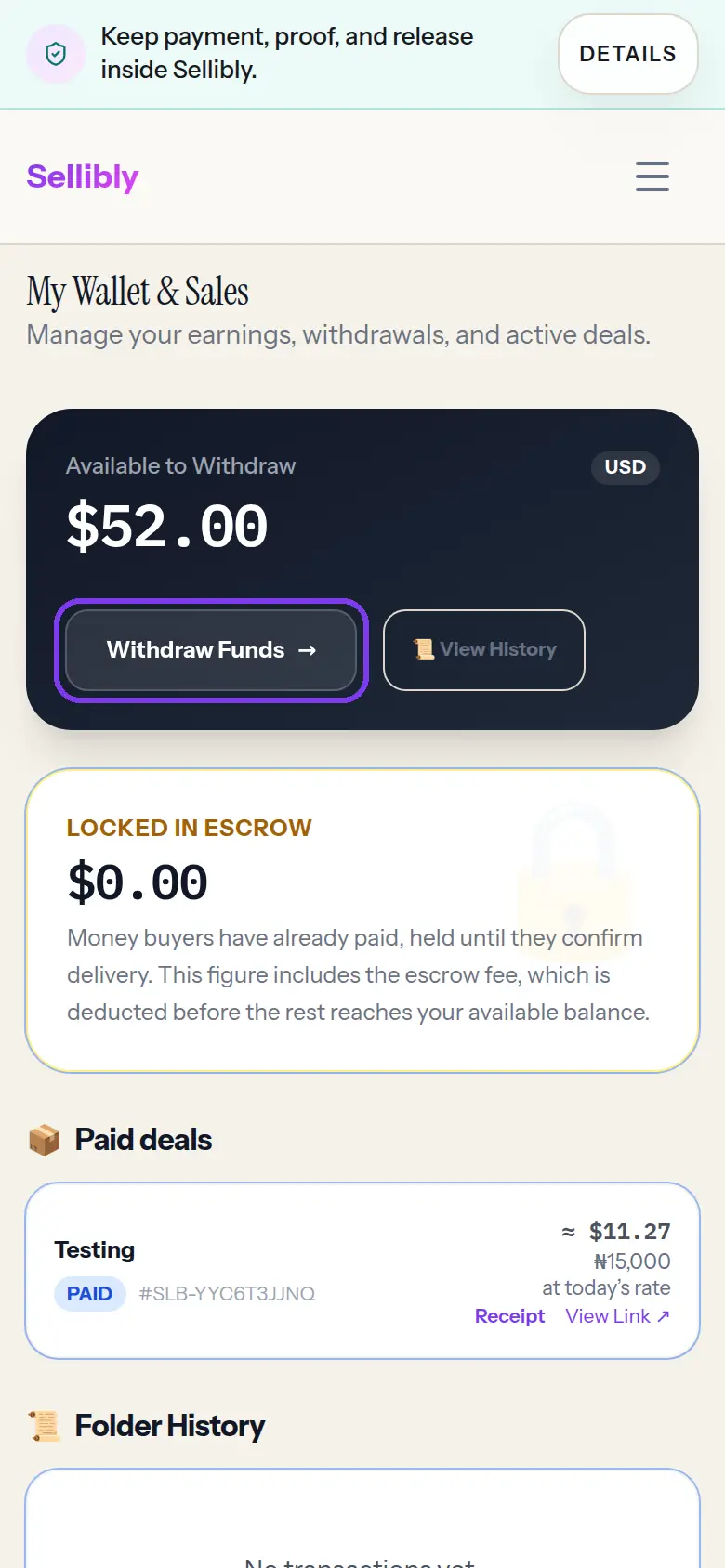
"Available to Withdraw" is money that is yours to take out. "Locked in escrow" is money buyers have paid on deals they have not released yet; it moves up when they release.
First time only: where to pay you
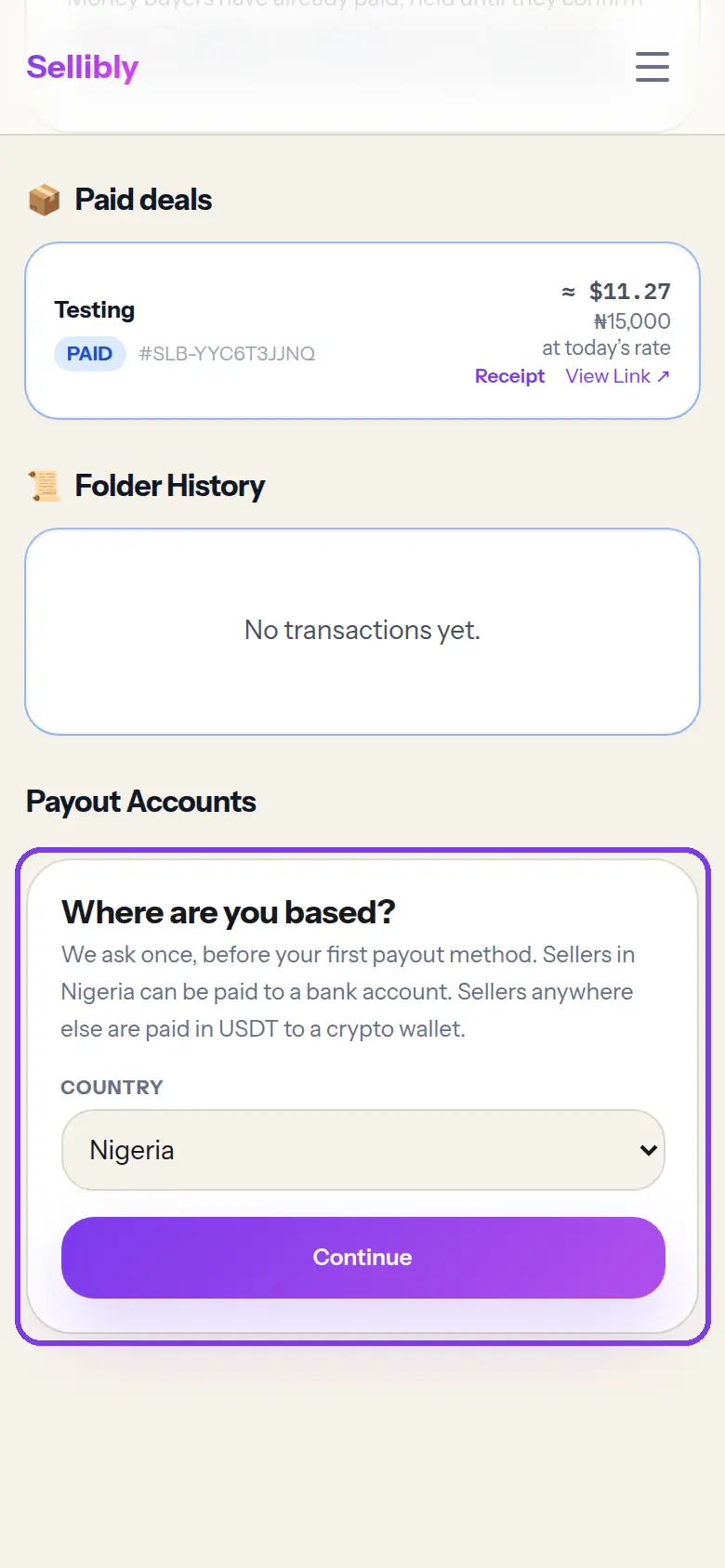
3Choose the country you are based in
Scroll to "Payout Accounts". Sellibly asks once where you are based, before your first payout method: sellers in Nigeria can be paid to a bank account, sellers anywhere else are paid in USDT to a crypto wallet.
Pick your country and tap Continue. You can change it later in Settings.
- 4
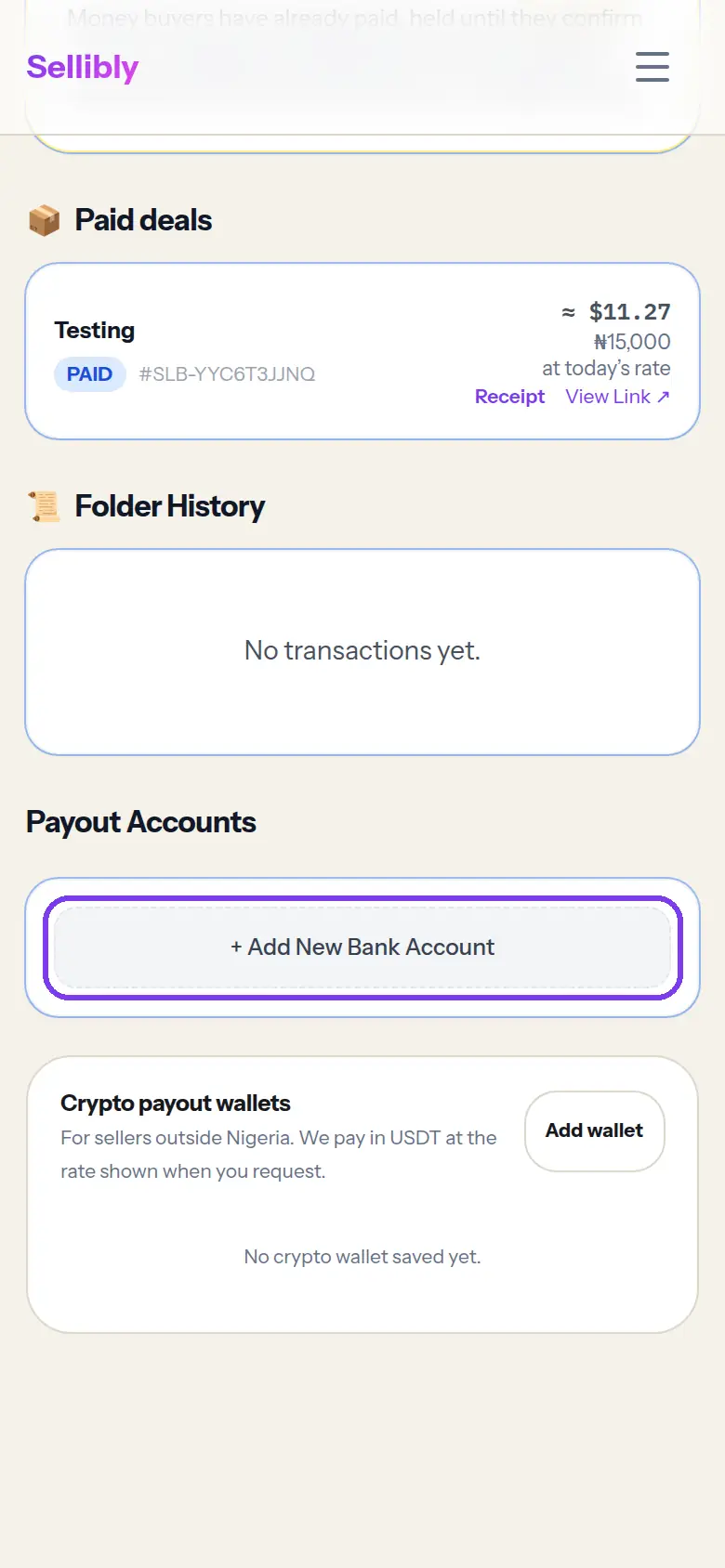
Tap "+ Add New Bank Account"
In Nigeria, the bank section comes first. Outside Nigeria, use "Add wallet" under Crypto payout wallets instead.
- 5
Enter your bank details and save
Choose your bank, type your 10-digit account number and the account name exactly as the bank has it, then tap "Save Account".
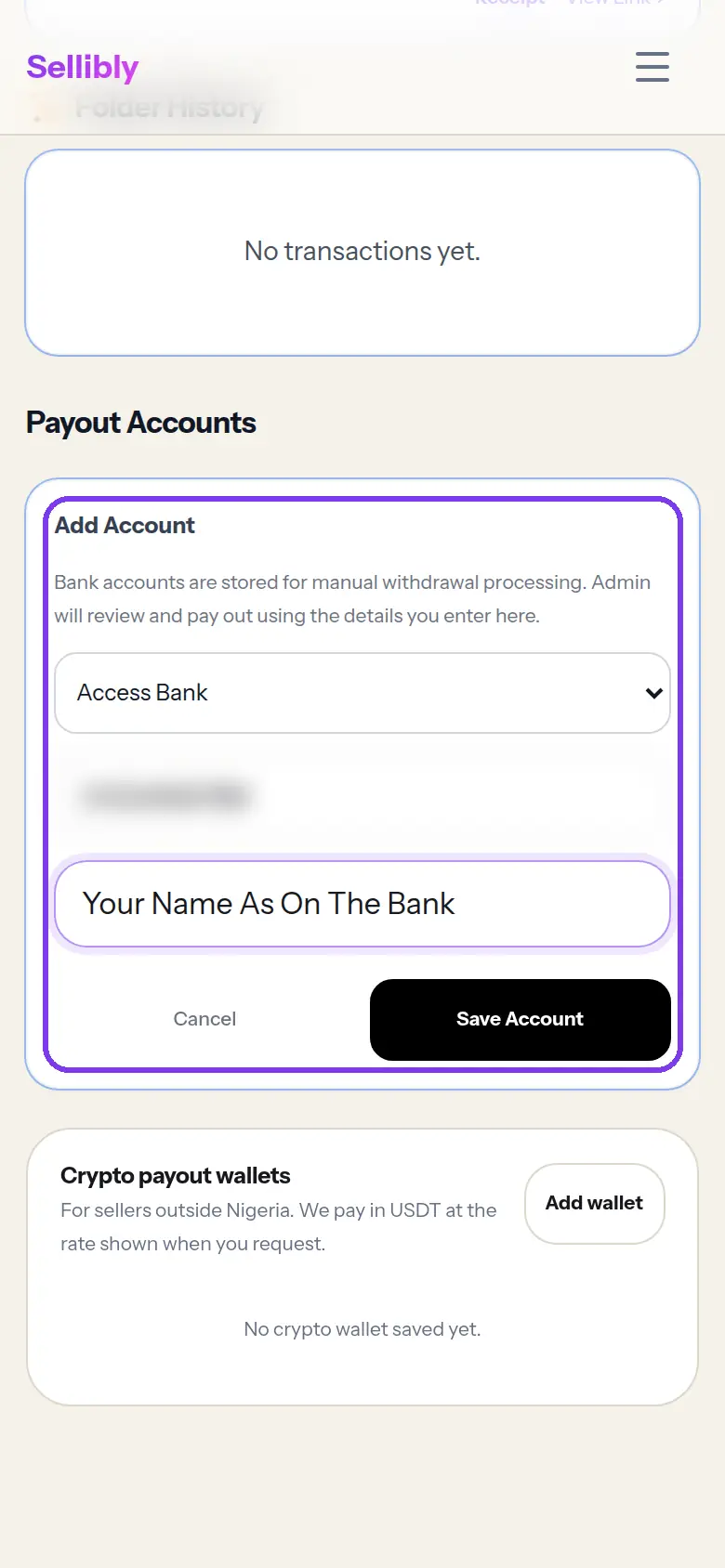 The account must be in your own name. Sellibly support will never ask you to pay out to someone else's account.
 Withdraw
6Tap "Withdraw Funds"
Back at the top of the wallet, tap "Withdraw Funds" on the balance card.
- 7
Choose where to send it, enter the amount and confirm
Pick the bank account or wallet you saved, type the amount and tap Confirm. Before you confirm, the form shows exactly what will be sent after any fee.
Naira to a Nigerian bank: no withdrawal fee, minimum ₦1,000. Naira sent as USDT: $1 fee, which covers the network cost. A dollar balance: sent as USDT, $2 fee, minimum $5. Withdrawals arrive within 24 hours of confirming.
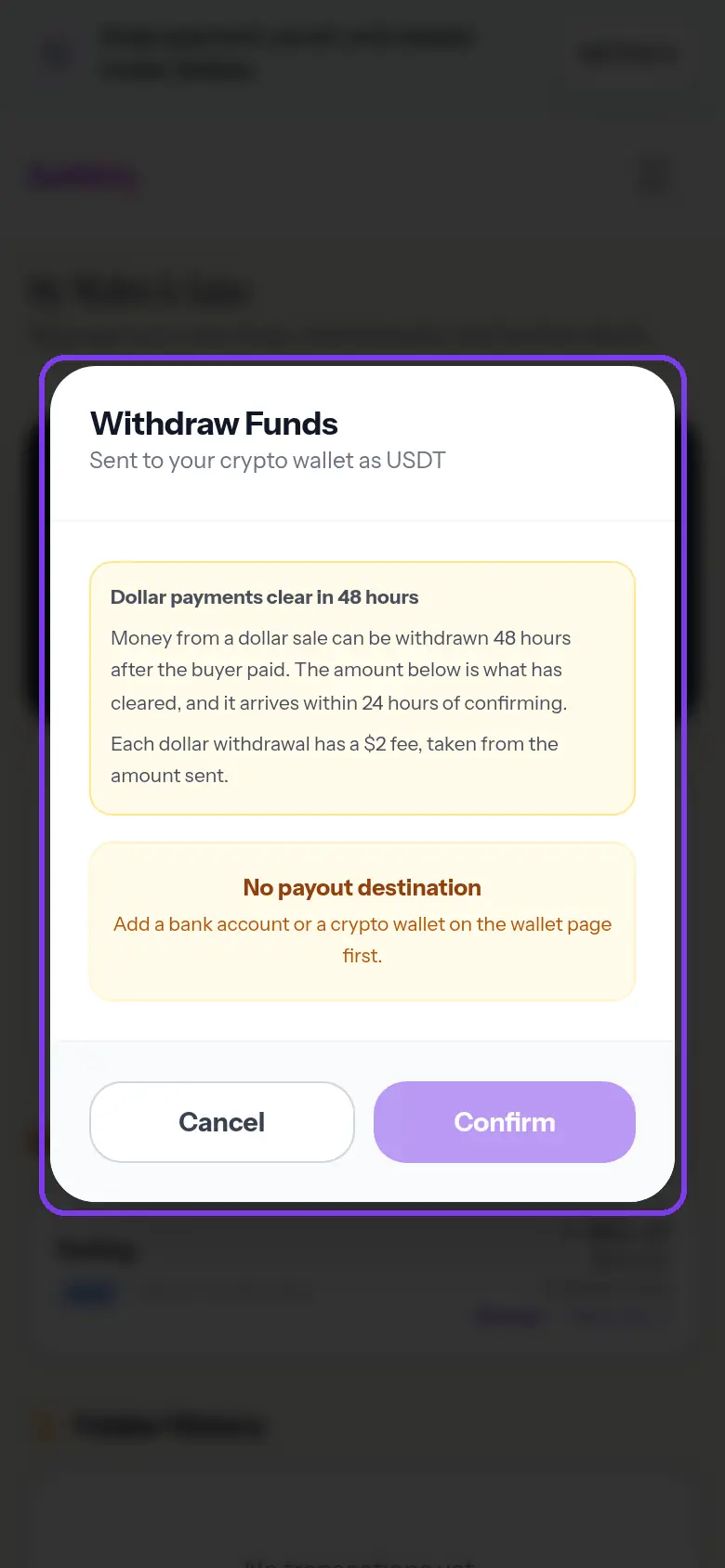 "No payout destination" means you have not saved a bank account or wallet yet. Add one under Payout Accounts first.
Common mistakes
- Trying to withdraw money that is still "Locked in escrow". It becomes available when the buyer releases.
- Saving a bank account in someone else's name.
- Sending USDT to a wallet on the wrong network. Check the network matches the wallet you saved.
Questions
Why can I not withdraw my dollar balance yet?
Money from a dollar sale clears 48 hours after the buyer paid. The withdraw form shows only the amount that has cleared.
How long does a withdrawal take?
It arrives within 24 hours of confirming. You can follow it under "Folder History" in your wallet.
I am not in Nigeria. Can I still get paid?
Yes. Choose your country, add a crypto payout wallet, and you are paid in USDT.
Next steps
Still stuck?
Send us your deal code (it starts with SLB-) and we will look it up.
Contact support